Series: Big Tech Alternatives
tl;dr: GitLab is the most powerful and user-friendly. GitHub is the most ubiquitous. Codeberg is the most ethical. Worktree is the most (only) Canadian.
I have been considering how best to arrange my personal projects in terms of which git repository to use. There are at least four interesting providers to consider and I spent a bit of time evaluating them before coming up with some changes to my approach. Here's the breakdown of those deliberations.
GitLab
I have used GitLab the most professionally, in both my previous job and my current one. I've worked in both the cloud gitlab.com solution and the on-premise one. They are the same thing except for a few logical differences, like that instead of paying by the GitLab CI/CD minutes used, you pay to maintain the runners on servers yourself.
There's a lot I really like about it, including having robust project management tools built in, as well as powerful CI/CD with significant usage for free and static site hosting. It's got a lot of features, but it's all well organized and easy to use in my opinion. Maybe that's simply coming from me being the most used to it, but I find it the most intuitive. As I tried to sort through a feature comparison, I think it's accurate to say that at least on the highest level there may not be many completely different ideas here that isn't present on at least GitHub. They each have all the standard git functionality like branches and pull/merge requests, issue tracking, and CI/CD automation. However, because GitLab makes all of those things the most obvious with their own dedicated space in the interface, I knew and learned about them a lot faster.
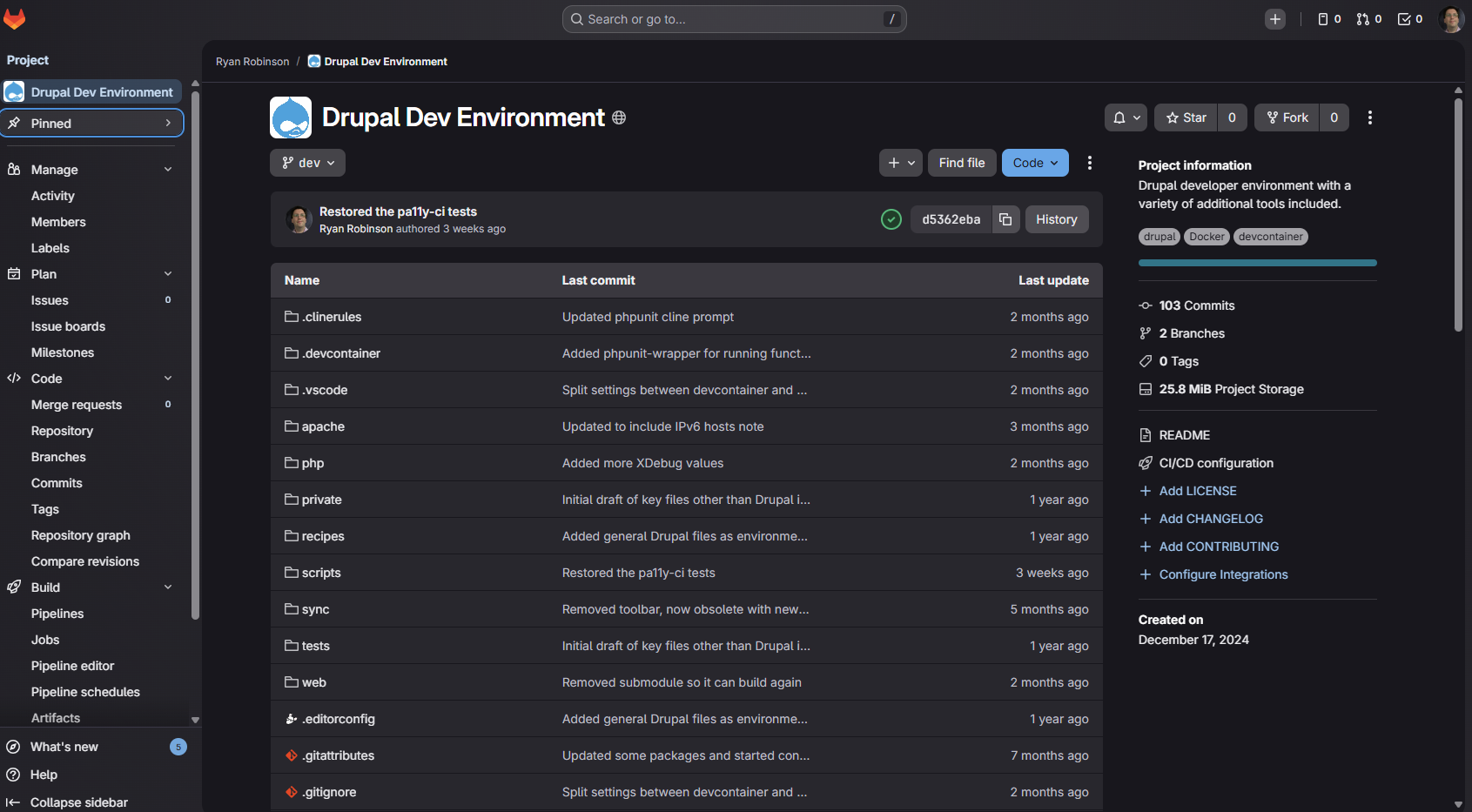
It is the only one of these that allows you to group your projects, which is really nice once you have more than a few projects for organization as well as for managing cascading permissions if you're working as part of a team. Even for my personal use that would be nice simply as a way to cluster projects like Drupal modules together.
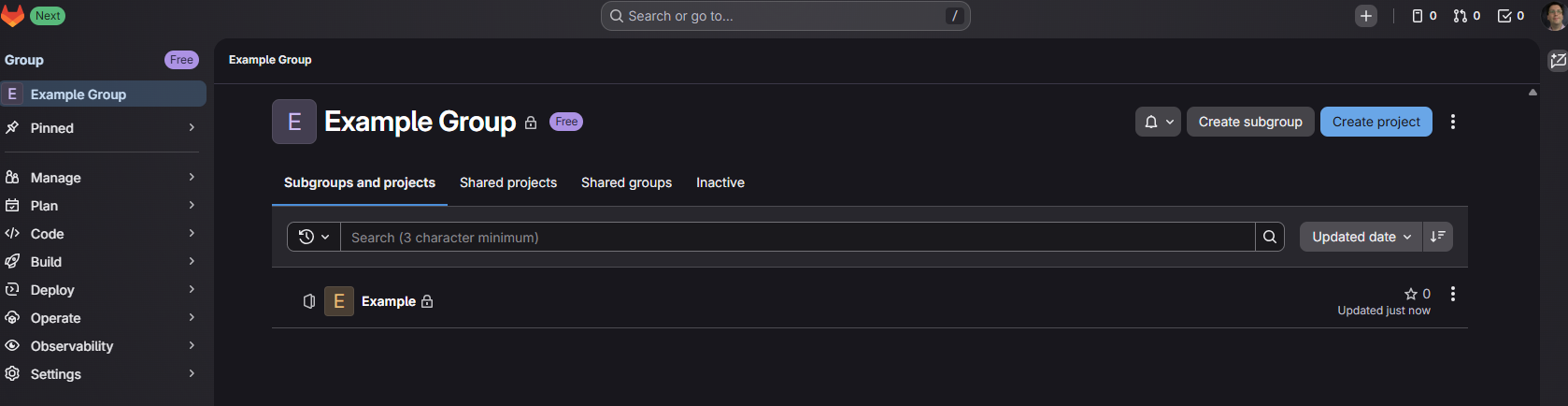
Some more advanced features as well as more CI/CD minutes require stepping up to a paid tier. If you're using it a lot for work especially in a team, it's probably worth paying and/or exploring a self-hosted option to help manage your CI/CD minutes. For the kind of personal sharing I'm talking about here, though, the free version would be plenty.
In raw feature set and usability, I see GitLab as the winner.
GitHub
I have used GitHub the most for my personal projects. It's what was hosting this website until this process to evaluate other options (see the conclusion below).
It's more streamlined in its interface than GitLab is, not throwing as many tools at you right away, but still making clear the most important things: the repository itself, issue tracking, and CI/CD (aka Actions). It does have most if not all of the other things that GitLab does, but more hidden out of the way. If you were never going to use them, that's nice, but for me that meant I sometimes don't even realize that it does have a feature set or have trouble finding it again later. It does highlight Code, Issues, Pull Requests, Actions, Projects, Wiki, Security, Insights, and Settings, but not some of the more precise components like Milestones and a Docker container registry. Like GitLab, it also has free website hosting for static sites and enough Actions minutes for free to build 11ty sites like this one.
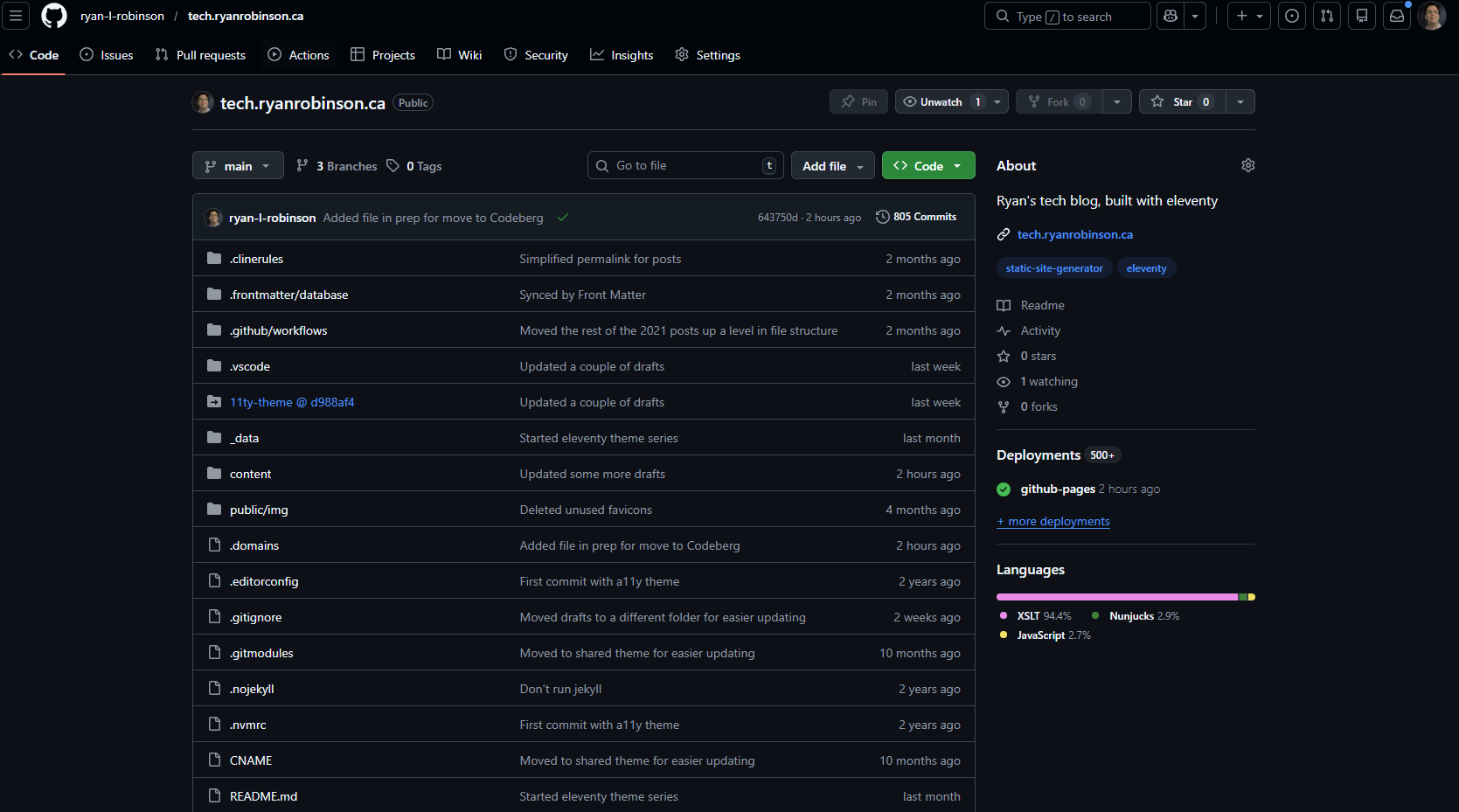
I also find the search bar less obvious, smaller and to the side of the header, and that has led to me often taking longer to switch from one repository to another than was really needed. How much of this is simply that I don't use it as often? I don't know; that's probably a reasonable conclusion. For me, the fact remains that I simply don't like the user experience as much.
The two things that I know it does not offer that GitLab does:
- It can't be hosted on-premise. You can only use their servers. That's fine for lots of uses, but maybe not for a major institution who wants to protect a lot of projects under their own data sovereignty.
- It can't group projects, at least not without a paid organization account. That does get annoying once you get past a couple dozen repositories, but is not really that necessary if you're only hosting a few things as an individual.
It is the only one of these that makes it easy to edit code and view issues with an official mobile app. GitLab does have a few third-party apps, and there are some general git apps to help you manage your files from a mobile device, but GitHub is the only one that has a fully featured official app.
Of course, the biggest argument for it is the network effect: it's where a lot of projects are. If you're trying to find a project to contribute to, or download a release of, or report an issue to, there's a high chance it will be on GitHub. There are some exceptions, like how Drupal uses their own hosted GitLab, but most of the time the assumed default is GitHub. Even if I'm not putting my own repository there, I absolutely need to keep my account for things like filing issues with other projects.
Forgejo: Worktree and Codeberg
worktree.ca is a new entry from a Canadian for-profit company. codeberg.org is a more established non-profit based in the European Union. Worktree gets some points for being Canadian. Codeberg gets some points for being non-profit and in the EU I would consider almost as good as Canadian, since at least they have some privacy laws.
I started writing these final two options up separately, then immediately upon creating accounts realized they are both based on the exact same software, Forgejo. There are not a lot of differences between them obviously visible in functionality; there might be a few, but not enough to worry about.
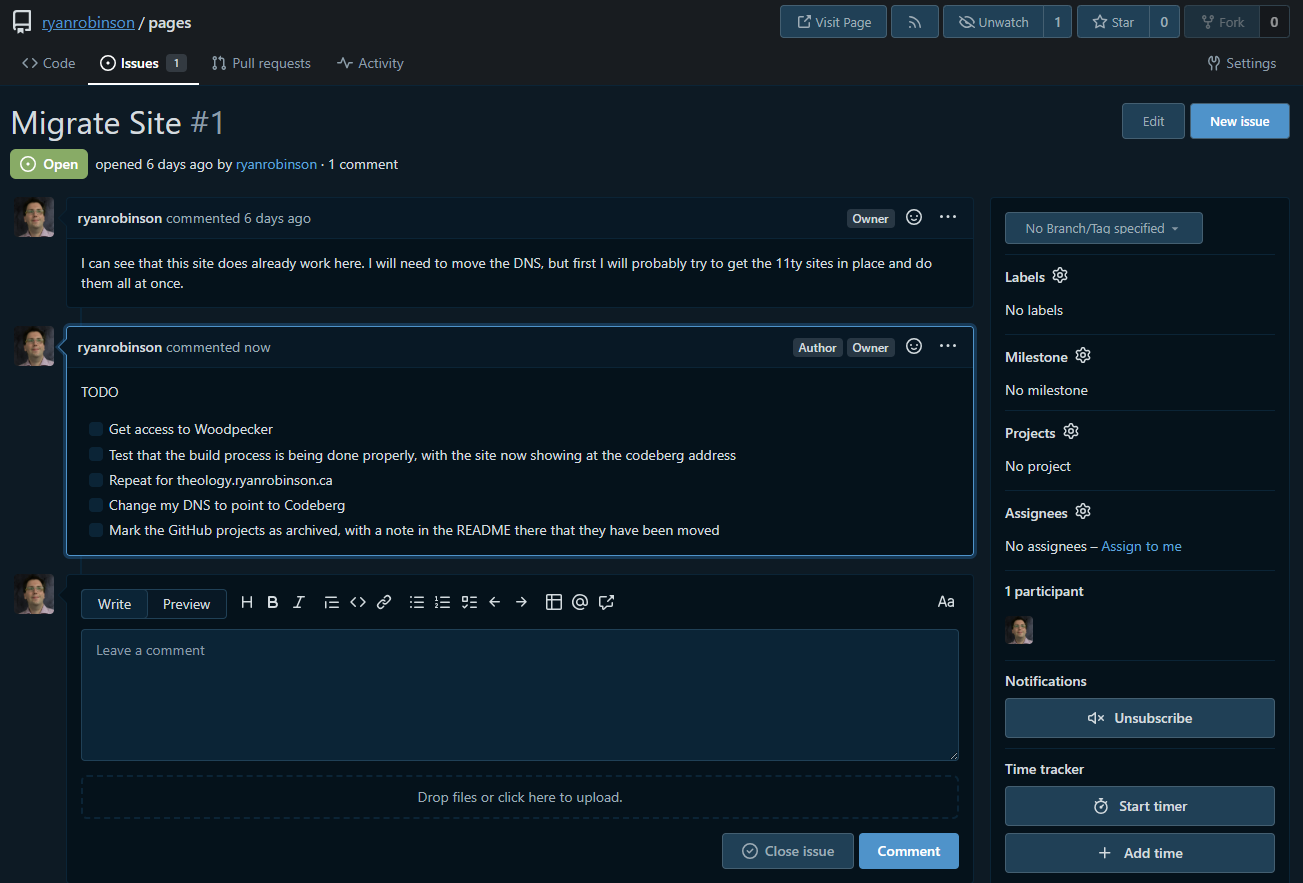
They have the same high level features that GitLab and GitHub do: issues, milestones, and merge/pull requests. CI/CD is present but in both cases is a bit more convoluted to set up, which I think is because that's not part of Forgejo and they have added their own thing alongside it. It is bare bones, probably missing some of the deeper details and integrations that you get with GitLab or GitHub, but clean and easy to use.
Here's an example of an issue:
Pricing and Static Site Hosting
What really sets Codeberg and Worktree apart from each other is static site hosting, or more specifically, the pricing to use static site hosting.
With Worktree, the free tier is the most limited of the four platforms I've looked at, by a wide margin. You get zero action (CI/CD) minutes for free. GitLab, GitHub, and Codeberg give enough to handle some simple personal uses like hosting this website, at no extra charge. Worktree could still handle hosting all the simple code repositories like when I simply want to share a Drupal module I developed, but not if I want to run any kind of CI/CD on it, including building static sites like this one in 11ty.
If I did want some Actions minutes in Worktree, I would need to step up to the Worktree Developer tier, which is $9/month. They do also have some language on the pricing page where they encourage paying solely for the sake of supporting a Canadian business, which I'm not really complaining about because maple-washing is definitely a thing right now for very good reasons. I might like it more if it was non-profit like Codeberg, but it's reasonable if you are going to make good use of it, especially professionally.
That also doesn't include static site hosting. For that, I'd need to also be signed up for the associated Worktree Cloud service. That is $3/month per static site, plus a little more per bandwidth used - that bandwidth won't be much for my sites that are mostly for my own notes. This is when I really start to grumble. Static sites with virtually no traffic, like mine where I acknowledge fully that I am mostly writing this as my own documentation store, can add up to cost a surprising amount. A WordPress hosted site on a shared server would be cheaper, while offering a lot more functionality.
In total, if I want to have my current three static sites, with Actions minutes to build two of them, that's $18-$20/month. That may be fair for a business or even for a freelance professional wanting flexibility. For me just wanting to share some code and some notes, it's a little steep and I'm inclined to think there are better uses for that money in my quest to rely less on US Big Tech. When I shared this on Mastodon, somebody replied pointing out that I could buy my own Virtual Private Server (VPS), then host my own Forgejo with CI/CD and multiple static sites at that price. If we were talking about $2-3 a month, enough to cover my contribution to server needs, instead of $18-20 this would be a different conversation.
Part of why I say that is by the comparison with Codeberg. They have no suggested pricing, but survive off donations. As far as I can see so far, there is no limit on Actions minutes or on static sites hosted. There is a limit on storage, at 750MB for the repositories, which should be plenty for a while with my relatively few pictures and the rest being text files. There are some extra hoops to jump through to get CI/CD usage and static sites running, but no extra cost.
So, Worktree doesn't have enough of an argument for it to be the one that I commit to and at this point I started focusing all my effort on Codeberg.
Minor Feature Losses
The deeper I get into Codeberg, the more I do find a few minor areas that it isn't quite as convenient:
- It isn't full passkey support. You still have to enter a password first. It's as friendly as possible after that, but it is a step down from GitHub or GitLab that doesn't need the password at all.
- The editor within the browser is minimal, with one file at a time and no syntax highlighting. It might be fine for the purposes of a quick edit to a blog post, but that's about it. Anything else I will definitely want to clone to my computer to edit in VS Code. GitHub and GitLab by comparison have a really nice web editor.
- Setting up CI/CD and static site hosting is more of a pain, but I'll get into that more below in the Migration section.
- The front page of a repository has bad heading structure, one of the most egregious and theoretically simplest to avoid accessibility errors. I see a heading 4 for README.md, then the two heading 2's that I put in the README based on how it displayed in GitHub which would have a default H1 already. That is a weirdly horrible mistake to make in 2026.
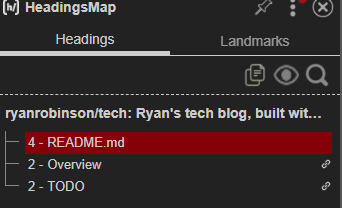
They are manageable problems, at least for me who is not reliant on navigating by headings, and this is often the kind of nuisance that you accept to support a non-profit using open software instead of a mega-corporation. Overall, these are real problems, but they are manageable ones for my personal use.
Migration
The migration process for the repository itself from GitHub is extremely easy. From the + button in the top right menu, which I found quickly in the clean interface, there is a "New Migration" option. That gives options for where to migrate from, and after I selected GitHub, there was a simple form:
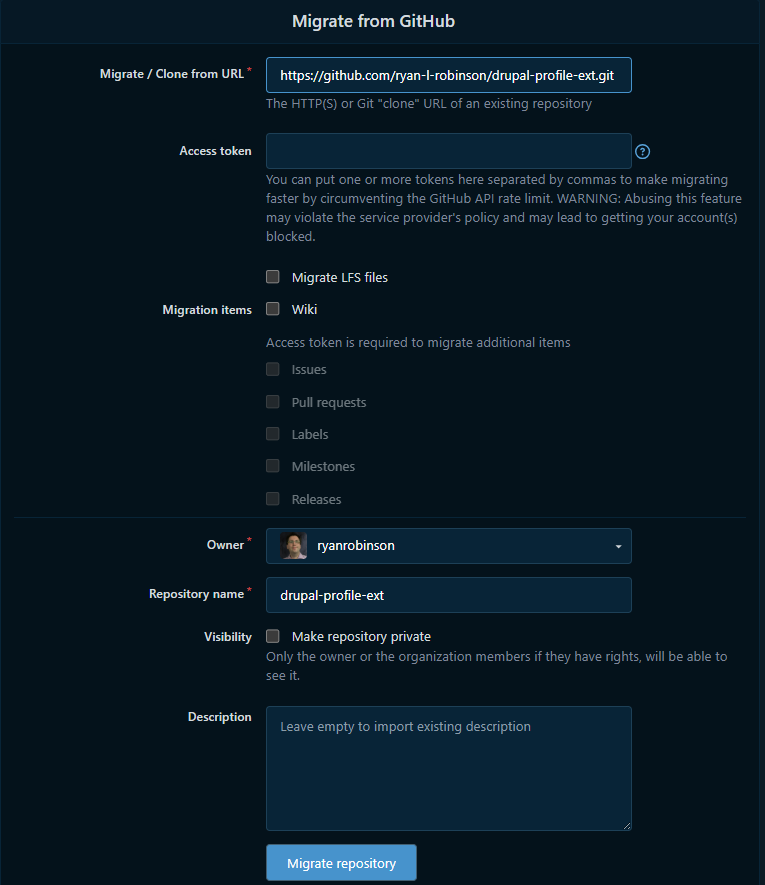
That's it. The only pieces of information that was needed at all was that it was coming from GitHub and with what URL. It does everything else.
The hardest part was the static site hosting. Yes, it is free, up to some reasonable limits, but it is a bit of a hassle on purpose to make sure it doesn't get abused, a necessary defence for a non-profit.
All the steps, I think, were:
- Add LICENSE files to each project. That was probably a good idea anyway.
- Get access to the ci.codeberg.org Woodpecker by putting in a request and waiting for approval. The approval came about 6 hours later, certainly reasonable but also certainly a long enough wait I had left the computer for the day.
- Convert the old gh-pages.yml file into a Woodpecker file. Put that in a folder named .woodpecker. It didn't work with the initial try that had it as one file at the root of the site, which apparently used to be what worked but doesn't anymore.
- Replace the CNAME file with a .domains file to specify the custom domain I'll be adding to it. This one is the same concept, just a different file name.
- Make sure the Woodpecker script includes copying the .domains file. That won't work just by having it in the passthrough of the eleventy script.
- Make sure the project doesn't have any . in the name. If there is, that's going to confuse the next step. I had to rename this project from tech.ryanrobinson.ca to simply tech after a few hours of issues.
- Change the DNS, with an A, AAAA, and TXT record for the apex domain, and CNAME records for each of the subdomains. Google Gemini gave me bad advice here repeatedly, but the CNAME records for the subdomains need to include the project name, so mine now point to tech.ryanrobinson.codeberg.page, not simply ryanrobinson.codeberg.page.
- Wait for the SSL certificate to be issued. It won't be immediate, but shouldn't be too long. If you push too many changes too fast - more than 5 attempts in an hour - you'll get limited where it won't even try to give you a certificate until you have done no new commits for an hour.
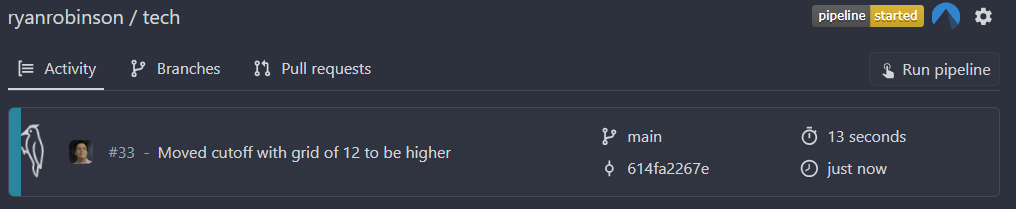
Note: there is also what seems to be a relatively new Forgejo Actions functionality that seems to more closely mirror GitHub Actions, which would probably have been easier to migrate into. I stuck with Woodpecker that seemed to be the preferred default in the documentation. Also the Woodpecker animation is kind of amusing.
Conclusion
At least for now, I'm going to try this approach:
- GitLab will keep the projects that are demonstrating CI/CD functionality which I have mostly learned from my work use of GitLab. There's not much choice there other than copying the code elsewhere and not actually being able to run it to confirm it still works. I did try that before and it got silly and feeling like a waste of time in a hurry.
- Codeberg gets everything else, including the static sites and the demo repositories like shared Drupal modules.
- GitHub I'll keep the account to interact with other repositories, but stop having that as my primary home for anything.
- Worktree I'll keep the account and maybe check in occasionally to see if anything has improved enough to change my mind, but otherwise I'm just lending one more user account to their metrics to try to argue that Canadians do want a homegrown option. I do want a homegrown option. I just can't justify those costs for my minimal needs.