Series: Big Tech Alternatives
tl;dr: My experiences with Proton email so far, including some feature losses.
I have now completed moving my primary email from Outlook to Proton, in my attempt to rely less on US Big Tech that can use the money they make from my data to do things like bribe authoritarian governments while also fully subjecting themselves to his every whim.
Here's my breakdown so far of some of the impacts this will have for me, both positive and negative.
The Major Loss: Integrations
Generally speaking, the big loss is not in the core email experience, but in the realm of integrations with everything else around it. This is a general trend: one of the big advantages of Big Tech is that when they control everything, a lot of it works together really nicely. When you opt out of that, you need more of a patchwork of accounts and apps and data that doesn't communicate with each other. That is a non-trivial loss. It might be a loss that is worth accepting, but it is introducing some real nuisance.
The other big factor for me: I still have a different Outlook account, which is shared and thus not as easy for me to just move on my own without getting the other person to also overhaul some of their processes.
Previously, on desktop I had Outlook that handled two accounts and each of those accounts had email, calendar, contacts, notes, and tasks. On mobile, I had Nine, which similarly kept all functions of both accounts in one app. It was super easy.
So what am I going to do now instead?
On desktop, I can use the Proton app. It's nice and very friendly to use. I'm not sure if it is fully synchronizing local copies of everything or just showing the online account, but either way is fine to me. Unfortunately, there's no way for me to use the other Outlook account in the same app. The Proton app does not support having an ActiveSync account alongside the Proton account. It doesn't even support having an IMAP account alongside the Proton account.
I could go the other direction and use the Proton email in desktop Outlook, using an IMAP connection for the Proton. That optimizes for using the Outlook email instead of the Proton. The Proton using IMAP would probably be almost as good of an experience for the email itself. It doesn't sync the calendar or contacts at all, though. There would be a significant cost in functionality if I want that convenience of having both in the same app, so I'll probably stick to separate apps.
On mobile, needing separate apps feels like less of a nuisance at least for the email part because they're both running in the background and popping up notifications anyway. There are some different functional tradeoffs, though. The Proton app doesn't connect to device contacts at all. It is noted in a documentation page that they plan to do that, but I think that's been there for a while, at least since I started considering Proton, so I have no idea how far away that is. That means that if I add a phone number to my email account's address book, as I would normally do, and then I get a phone call from that person, I won't get any display of that known contact. I similarly can't phone them by just looking up their name in the phone app. There's also no sharing that Outlook account's contacts so that if I'm writing an email from my account to somebody whose email I have in the joint account, that won't be accessible at all. I'll have to go look up the email address from the shared account and copy it in.
The Proton mobile app also doesn't connect to the device calendar at all. I can't even have one calendar from Proton and one from Outlook and then look at them from the same core Android calendar app, not without publishing one of them to share through the cloud to the other. That latter idea is possible, but I don't really like that this whole move geared toward better privacy and less data in Big Tech would require me making my personal calendar public (with a complicated unique link that would be nearly impossible to guess) and then shared back into Google and/or Microsoft anyway. At least there is a workaround for it, unlike with contacts, but it's one I'm not thrilled about.
Proton doesn't include task management at all. There are lots of good task management apps, but it does mean another app with another account, not at all integrated into my calendar. That's not a huge problem by any means but is definitely not ideal either. I haven't decided what I am going to do here. Do I keep using Nine and Outlook for tasks anyway, even though I'm not using anything else about that account anymore, because at least I already have it installed anyway for the joint account? Or do I add some other task management app?
So instead of one app for desktop, it looks like I will need at minimum two apps for desktop, and possibly a third depending how I approach task management.
Instead of one app for mobile, I can keep using Nine for the shared account's email, calendar, and contacts, and tasks. Those contacts and calendar sync into the phone contacts and calendar, but I won't count those as separate apps because I don't necessarily open them directly very often; I just want it in there for widgets and for contact access from the Phone app. Add Proton Mail in its own app for that email. Add Proton Calendar as a separate app for editing any events on that calendar; even if I publicize it to share into the joint account and be visible in Nine, that's read-only (and I wouldn't want to risk exposing the ability to edit even if I could). For contact integration, there isn't even a cloud sharing or extra app option; all I can do with that is manually copy my contacts from Proton into my phone or the Outlook email. For tasks, should I just keep both in Nine, or move them all to yet another app?
Negative: Money
Of course there's also a negative that Proton costs money, not private data. I paid $105 CAD to lock in for two years, which is not an absurd amount of money, but I get it if that cost seems outrageous by comparison because you're used to thinking of email as something "free" (with caveats).
TBD: Spam
There are some things that I won't really know the answer to without a longer period of usage. The big one for me at this point: how's the spam filtering? Considering Proton doesn't have any access to the contents of the email, just the metadata including the subject, is that going to be noticeably worse? Then again, Outlook's spam filtering has been annoying me a lot more lately, with it seemingly getting a lot more aggressive at putting house contractors and newsletters I signed up for into Junk, so maybe it will actually be an improvement. Or maybe, most likely, it will be roughly the same?
Positive: Privacy
The obvious big positive is the privacy. If I'm sending to another Proton user, it's fully end-to-end encrypted. I probably don't know that many other Proton users. Proton recognizes this and they still have some other mechanisms to make sure the message is encrypted entering their services. Even if it is fully unencrypted and read by Google or Microsoft on the other side of the conversation, Proton cannot access it at all.
There's also an option if you really need to email somebody something really private, which you normally shouldn't, that you could put a password on that message so it will stay encrypted without that password. I'm not sure I'd use that. I would probably be more likely to try to get the secure information communicated in other ways, but maybe it would come up as a good option after all.
For one more privacy note, I quickly noticed that it also strips trackers out of emails and cleans links. Some of these at a basic level I really don't mind, like allowing the marketing team sending the emails to know if you even opened it or not, but other than that, I am happy to block tracking from my personal communications.
Positive: Hide My Email
The extra "hide-my-email" addresses are a wonderful idea as well. You can give out these aliases to big company lists that you may not really want to have your real email. Messages from them will still come to you, but now if they get hacked and that email gets out, it isn't a big loss. If they won't stop sending you messages even when you've tried to unsubscribe, that's easy: delete the alias and start up a new one. That's effectively unsubscribing from everything you gave that alias to, without losing a lot of mail you still want.
Positive: Interface
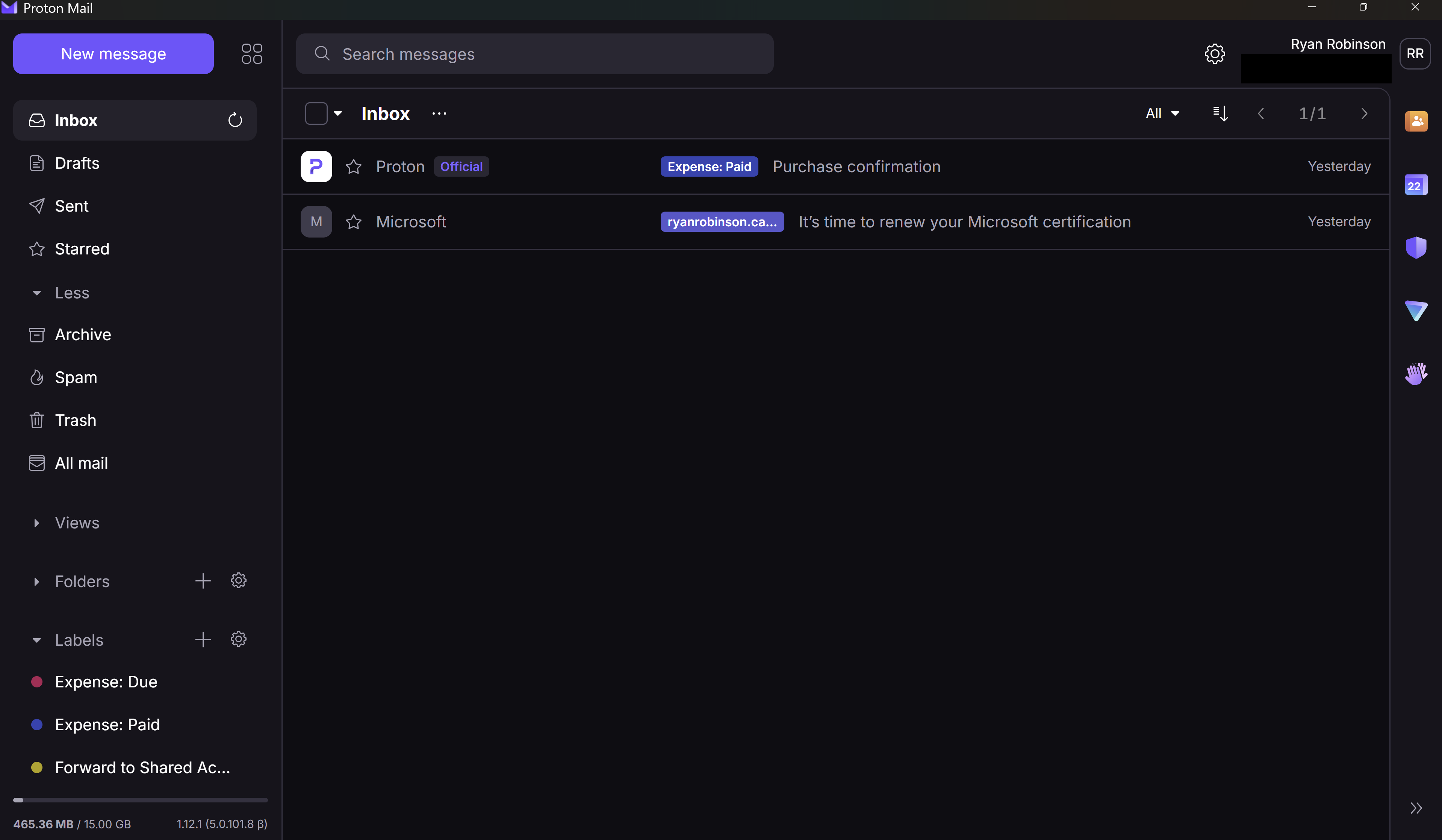
Aside from privacy, I will say first and foremost that I love how simple and clean the interface is. It's very friendly to use. Maybe this is because it doesn't have as many of the deep features that most of us have forgotten are in Outlook anyway, but sometimes less is more. We'll see if I start discovering some of those Outlook features that I really wish I still had later, but for now at least, Proton feels refreshing by comparison.
Positive: Custom Domain
The custom domain for the email is something I've already touched on a little in a previous post in this series. It's great to control your email address. If I decide I don't want to be on Proton anymore, I could go back to Outlook - I didn't delete the account, just stopped the DNS from sending email to it - or I could go to some cool new Canadian provider that doesn't exist yet. I have that freedom because I own my domain and have tied my email to it. If my email were @gmail or @outlook, it's a lot harder to move without needing to tell everyone who may ever email me again, a task daunting enough that many would never bother.
The big difference is that on Microsoft I was grandfathered in to an old plan that allowed the custom domain but hasn't been supported in years. They probably aren't in any rush to delete the functionality for those of us who have it, but there's no guarantee of that and also no support if anything ever goes wrong with it. It's a little more reassuring to know that part of what I am paying for is using the custom domain and so I shouldn't ever have to worry about losing it.
Mostly Positive: Migration
Most things about the migration are made as easy as possible. There's an Easy Switch tool that will import anything for you. The few notes I had that were not entirely obvious for me:
- There was some wording in the emails throughout the process of migrating email to a custom domain: "If you are planning to use this domain with Proton Mail, note that we'll only accept email for enabled addresses with encryption keys." There was no link or further information about what that means or what if anything I needed to do to know that my email was actually going to work. I think it just means what I had already figured out, that I needed to create the email address assigned to a Proton account before changing the MX record. At the very least, it seems to all be working fine without me doing any extra steps, so I think I'm good? That was the only place where I felt like the language was not at all obvious even to somebody like me who has migrated emails before.
- When I imported calendars, it create them as new calendars in Proton. That includes those that were subscribing to another calendar; instead of subscribing to that external calendar again, it copied everything currently in the calendar and those calendars are not going to get updated from the source again. So I imported, realized this, deleted them, then subscribed to the ones I still needed to keep.
Conclusion
I am going to try using it for a while. There are non-trivial losses in the integrations category, but the gains are worth it. I think this is still a win, even if this is the only account and only product category that I move.
The best case is that I can move that shared Outlook account into Proton as well, if I like it enough and can make the case that it is worth it. That would solve the integration complaints I have based around needing to maintain both an Outlook and a Proton. It wouldn't solve my mobile app integration complaints.
After that, the next theoretical step is that I could work toward cancelling the Microsoft 365 Family entirely. Proton would replace the cloud storage and the email and calendar. LibreOffice or maybe cDox would replace the document editing apps. That is again reliant on having even more people on board, so I'm not counting on it happening soon, but it's a stretch goal.
Previous: PHPUnit