tl;dr: You might want to hide letting the public view taxonomy terms directly, instead redirecting them elsewhere. Rabbit Hole is a good module to help.
I love when I have a specific need for Drupal functionality and then I discover there's a contributed module that already does it very well. I love that even more if I discover it before I have written my own version, which is not what happened here, but it's still better to discover late than never. I will not at all get into the custom code I wrote for my previous approach, which was fine but did involve more hardcoded values than I would like. It was not built nicely into configuration with flexibility over time.
Instead, I'll give an introduction to the module that I found which does a great job of it instead: Rabbit Hole.
The Main Problem
I use taxonomy terms on a site. Those can help with a lot of things including selectable options on content nodes. Unlike a fixed options dropdown, they are easy to change as content on production, not needing to go through a code pipeline to update a configuration file safely. This lets the trusted content editors manage their own taxonomies, not needing to come back to the developers to do a deployment every time.
Unfortunately, the default Drupal behaviour assumes that viewing those taxonomy terms directly by any member of the general public is desired. Sometimes that's great, like when I can put up a view of all content tagged with a taxonomy term. Lots of blogs have that structure of tags, including this site which is built in 11ty (not Drupal). But that is not every possible use for taxonomy terms. Other times I want those terms to be hidden away in the background helping organize content, not visible directly to the public.
In my case, depending on the taxonomy term, I wanted one of three things to happen:
- Show the page, as is default Drupal behaviour. These are the ones that are used like tags for content where it might be helpful to see everything tagged that way.
- Redirect to a view, with the taxonomy term passed through as a query for an exposed filter. This is great if I already have other views of all the content and an exposed filter for that taxonomy term. I don't want to reinvent the wheel and cause confusion for users. I want to use the wheel I already have.
- Redirect to the home page instead, or show access denied. These are for the ones that the public never needs to even know exist as taxonomies.
The Lesser Problem
A lesser problem was with the reusable content type. This is a type I have set up to allow content editors to create and maintain content once but have it displayed on multiple pages. The catch: I want the content editors to be able to view those pages directly, but I don't want all users to see them directly, which would be confusing outside of the context of the full post. Those other users should be redirected elsewhere.
Submodules by Entity Type
When I enabled the Rabbit Hole module, it came with submodules to handle the major entity types that are common on Drupal sites: node, user, taxonomy, etc. This is nice in that it can keep my configuration forms a little less cluttered, if I know I only need it for some types. In my case, I was primarily looking for taxonomy but made user of users and nodes to simplify a few other things like the reusable content problem while I was at it anyway.
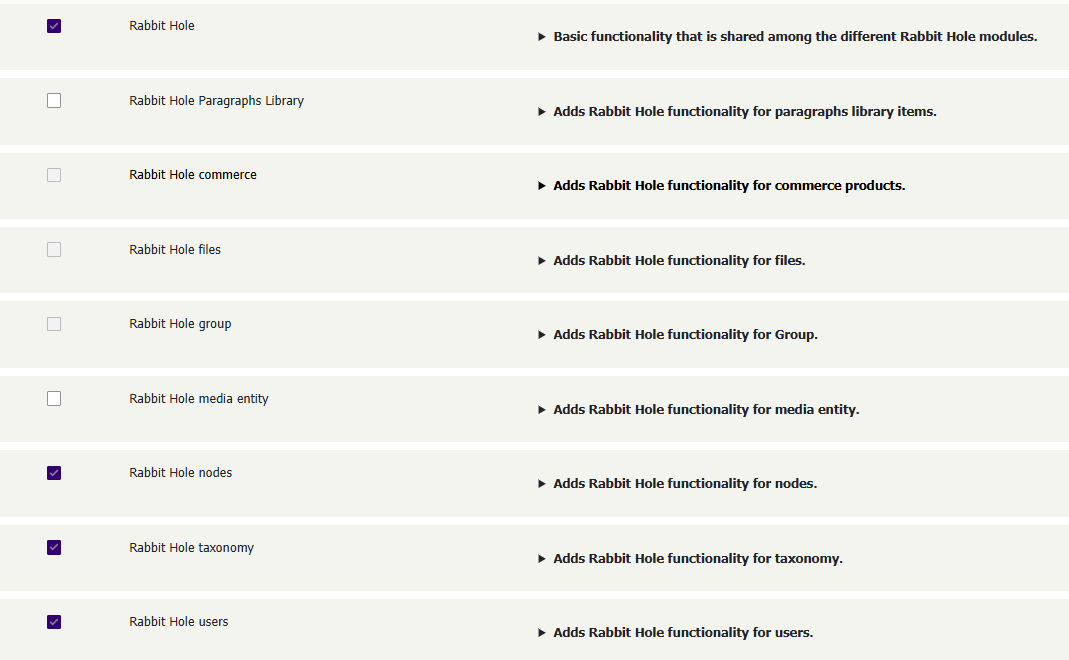
Configuring the Bundle
Within each entity type, I can configure per bundle how I want it to behave, as well as set whether it should also be able to be overridden per entity.
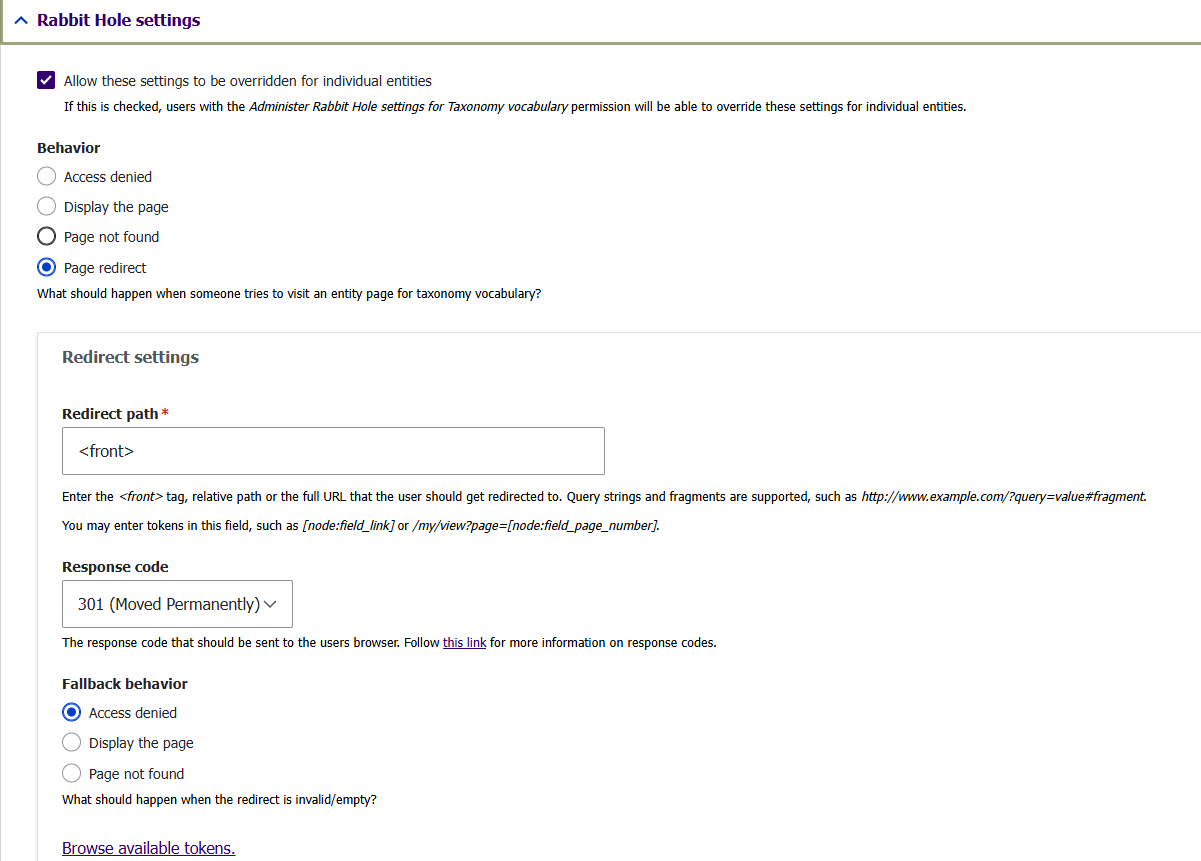
There are a few options here:
- Whether these settings can be overridden for individual entities, as in, should each specific term be able to behave differently, or should it remain the same behaviour for all entities of this type?
- What happens: access denied, display the page as normal, show a page not found, or redirect to something else.
- If doing a redirect, I can use tokens. That solves my scenario number 2 I mentioned above, where I send it to another already existing view but with the value passed through as a parameter.
- If redirecting, set a fallback for what should happen if the redirect fails.
That's a nice set of features without being too overwhelming.
Permissions
Finally, I have a couple notes on how it handles permissions.
The module gives permissions that allow user groups to override the Rabbit Hole by permission group and by entity type. It doesn't get more specific than that, like being able to adjust those by content type (bundle) of the node (entity). In my case, that was adequate at solving the reusable content scenario I mentioned above, but I can see how it would be useful to push that a step further.
The one thing I do find a bit annoying is that the admin user group gets the permission to bypass all rabbit hole behaviour and that cannot be removed. That is maybe for the best, knowing that at least somebody can always get to view the content, but it might also complicate testing. As per good security practice, our superuser account is not typically left unblocked on production - we do everything with lesser permissions and only elevate when necessary - so this won't impact anything in production. But I will admit that it threw me off testing out these features, turning on the redirect, clicking on it to test it, and the redirect didn't work. Then I realized the permission was there, tried it in a private window instead as an anonymous user, and realized, yes, it does work.
Previous: PHPUnit