tl;dr: Quick answer? Bing. Get me to one or a few sites? Kagi. Complicated problem? An LLM.
I've been thinking a lot recently about which tools are best for answering what kinds of questions, largely prompted by two things:
- The rise of large language models (LLMs).
- Hype in tech circles around Kagi as as an alternative search engine where you pay a monthly fee instead of being barraged by increasingly terrible results swayed by advertising dollars.
I signed up for the free tier of Kagi to try it out. The free tier has a limited amount of searches, and does not include the "AI" chatbots, but it is still enough to get a good sense of the core search experience.
It has made me realize there are essentially three categories of things I use a search engine for, and which tool is best for the job varies by that category.
Searching for a Site
This is the most "traditional" search engine: you put in some keywords looking for a site, then you click on the site, and you're happy. This is great if you know a keyword or two that will get you to those one or few sites that get you what you want. I do this kind of search regularly for searching by a person or business' name with the expectation that I am going to visit their website. I also use it when looking for documentation of specific programming functions or tools, where I want to load up the authoritative page and dive deep into it.
For this category, Kagi is the winner. In the free version, there's no AI answer in the way at all; my understanding is on the paid tiers it is there but out of the way. There are no ads. There's no tracking to sell all your data. There are simply the results, and by all accounts they are at least comparable to if not better than the big search engines.
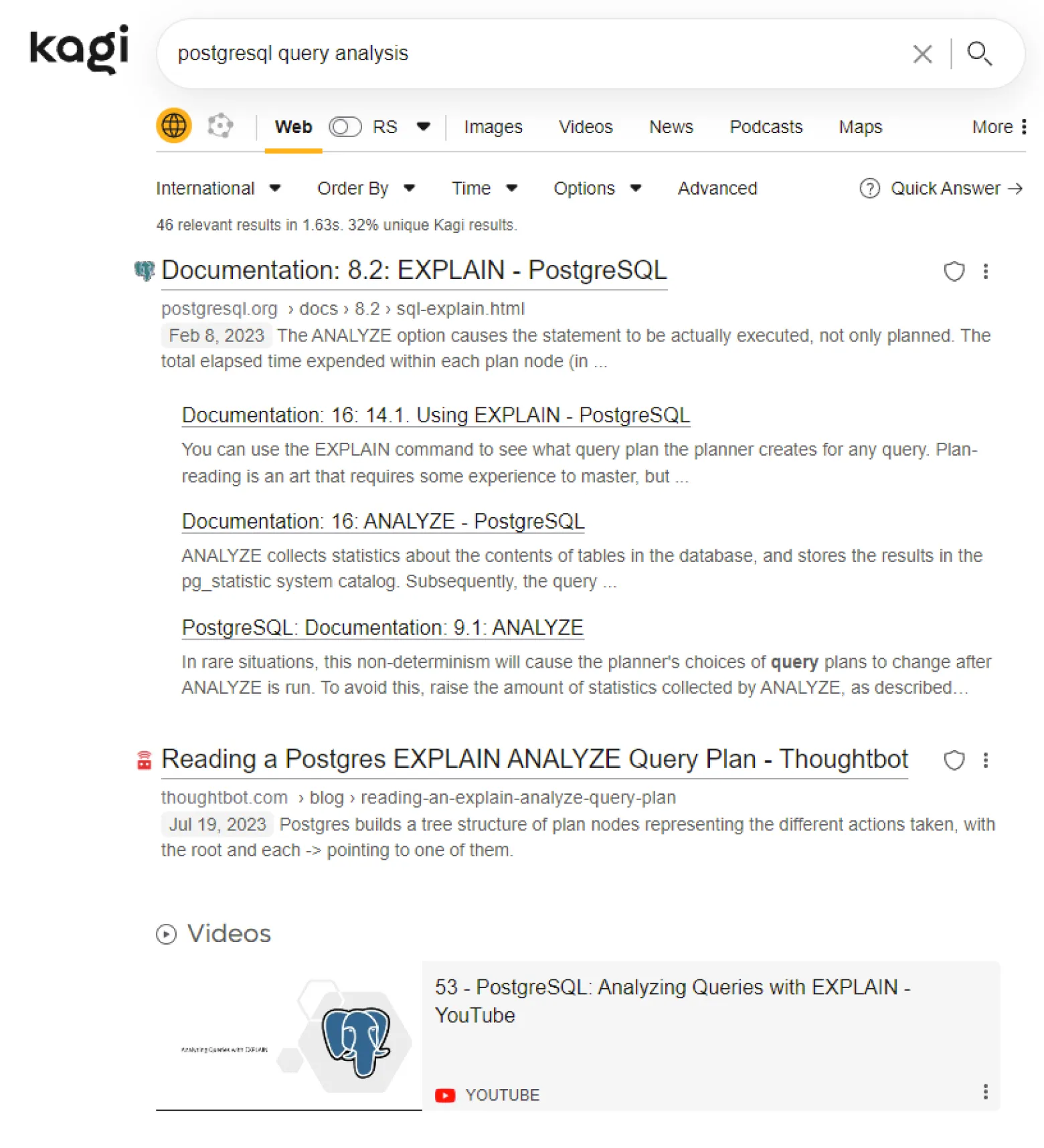
There's also some freedom to tweak your own search algorithm in some small ways, like if you are searching for programming results you can filter to certain sites. You can also customize your own CSS styles to make it look however you want. Those kinds of customizations are cool and maybe worth it if you are going to be using it a lot to justify the overhead of configuring it. As I realized, though, a lot of my searches really fall in either of the other two categories below, so even if I do end up paying for a Kagi subscription, I might not ever bother with too much extra customizing.
Searching for Common Quick Answers
The kinds of searches I realized I do a lot are those when I quickly want the status or summary of something. My most common is sports scores or schedule. I type in that I want WNBA scores, and I see WNBA scores. If the games are live, they will update in place. For this kind of search, I don't need to go into another site; it surfaces everything I need quickly and in a user-friendly way.
I tried a couple of these in Kagi and it was not great. Bing, on the other hand, I've been happily using to do this for years. The scores even update live in place so I can loosely follow a game while doing something else.

Some other examples might include:
- Definition of a word
- Movie summary with links to cast members and what other movies they were in
- Flight information
- Time in a certain timezone
- Monetary conversion
I tried to look up if there was a technical term for these kinds of searches and results, and there isn't a clear winner but I saw some things like "direct answer," "featured snippet," "knowledge panel," and "zero-click searches."
Searching for Help to a Complicated Problem
Then there is searching for help with complicated problems that don't have clear mappings between a couple keywords and one site or even a few sites that clearly answer it. In my work, this mostly means large technical problems that I don't even have a great idea of where to start.
With "traditional" search, I would often be doing 15 different searches trying different keyword combinations, sometimes learning from the results of one which jargon can help get me to the next step, and reading multiple websites of results for each query. That's really time consuming and often hard to even keep track of what else you can try searching for. 3 hours of digging through forums later, many of which were clear dead ends or contradictory to each other, I'm having trouble holding all the pieces together in order to come up with a coherent solution.
This is the scenario where large language models (aka "AI") are better. Most of the hype, both from the salespeople and from the critics, focus on the generating of the response. It is just as important that it can connect you to what you're looking for even if you don't get the exact keywords correct. If you've got a complicated problem and you don't know the exact right jargon to search with for each component of the problem, using an LLM is a real improvement because it is able to connect your wording to the jargon in the dataset. It will also help connect all those pieces together, so if you're investigating some interaction of 12 different factors in your environment, you can lay out all those factors at once and it will keep that information in context for its results. It is a reversal after years of learning to search by succinct keywords to learning to prompt with as much context as is relevant, but it does return better results when you do.
No, it isn't truly searching in the sense of pointing you to existing information on the Internet. It is doing a statistical calculation of what words should come next based on the training data. But for this kind of problem, the statistical calculation is often more useful than simply returning a list of forum pages that may or may not solve one small component of the problem. Often there is no one page that has a clear answer or even a good starting point, but there is a lot of sort of related content out there which the LLM has ingested and will stitch together. And of course you can't simply assume it is correct - you still need to validate it - but that was also true with grabbing code snippets from a forum. All that's different is that you can get to that snippet much faster, with a lot less headache and a lot more hope of actually understanding it.
It is absolutely true that there is a lot of bad marketing hype about large language models and a lot of use cases that do not live up to that hype which includes many that you probably should just do a normal search. Despite that, I have become fairly convinced that this is the category of scenario where they are legitimately an improvement.